
PK888 App & APK

Download the
Latest PK888 APK

The PK888 app puts the entire slot vault on your phone — over 2,000 titles, an instant cashier, live promotions and 24/7 support behind one login. Android users install a direct APK and receive every new build the moment it ships. iPhone and iPad users add the web app to the home screen in two taps, with no sideloading involved at all.

Android APK v4.2.1 · ~45 MB
iOS Web App Safari · No install

Install only from the official access link above. Repacked APKs distributed on file-sharing sites are the main source of credential theft in this category.

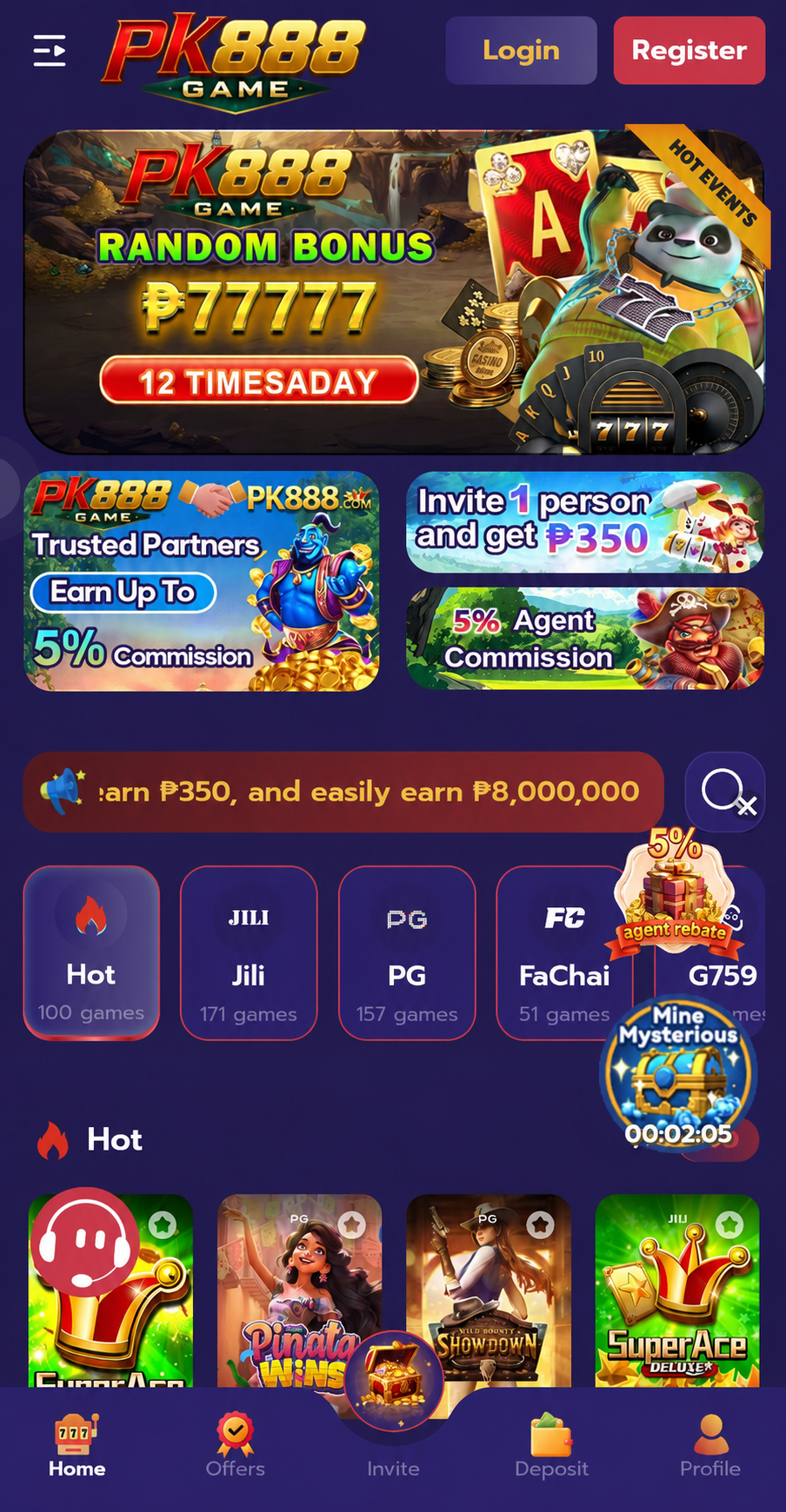
The PK888 app installed and running on an Android phone, showing the home lobby

Android Installation

Install the PK888 APK in Four Steps

The whole process takes under three minutes. Android will warn you at step two that the file comes from outside the Play Store — that is expected behaviour for any direct APK and not a sign that anything is wrong, provided you downloaded it from the official link.

1

Open the official link

Tap Download PK888 App anywhere on this page. It opens the current official build directly over an encrypted connection. Do not use APK mirrors, "modded" versions or files forwarded to you in a chat — those are almost always repackaged.

2

Allow unknown sources

Open Settings → Apps → Special access → Install unknown apps, select the browser you downloaded with, and enable Allow from this source. On older Android builds the setting sits under Security instead. You can switch it off again after installing.

3

Run the installer

Open the downloaded PK888 APK from your notification shade or the Downloads folder and tap Install. If Play Protect shows a warning, choose More details → Install anyway. Installation completes in a few seconds; tap Open to launch.

4

Register & set limits

Create an account with your mobile number and verify the one-time code. Before your first deposit, open the profile tab and set a deposit limit and session reminder — it takes fifteen seconds and it is the single most useful thing you can do on day one.

Scan to Download

Prefer to install on a different device?

Scan the code with your phone camera to open the official PK888 access link on that device, or simply open playpk8888.pk in your mobile browser and tap any download button. The link is identical either way — there is no separate "QR-only" build, and any site offering one is not us.

iPhone & iPad

Using PK888 on iOS Without an APK

iOS does not permit APK files at all — that format is Android-only. Instead, PK888 runs as a progressive web app that installs to your home screen straight from Safari. Once added it launches full-screen without browser chrome, keeps you logged in between sessions, and behaves for all practical purposes like a native app.

There is a genuine advantage here: the web app is always on the current version, because it loads the live platform each time. You never need to check whether you have the latest PK888 app, and you never have to repeat an install.

  1. Open playpk8888.pk in Safari and tap any Play Now button.
  2. Tap the Share icon in the Safari toolbar (the square with an upward arrow).
  3. Scroll down and choose Add to Home Screen.
  4. Name the shortcut “PK888” and tap Add.
  5. Launch it from your home screen like any other app.

Chrome and Firefox on iOS cannot add to the home screen — Apple restricts that capability to Safari. Use Safari for the setup step, then launch from the icon afterwards.

System Requirements

Android6.0 (Marshmallow) or later
iOS13.0 or later, Safari browser
RAM2 GB minimum, 3 GB recommended
Storage~45 MB install, 300 MB with cache
Connection3G minimum, 4G/Wi-Fi recommended
Screen5.0″ and above
PermissionsStorage, notifications (both optional)
CostFree to download and install

Older or lower-RAM devices will still run the app, but expect longer load times on asset-heavy slots. Closing background apps before a session helps noticeably.

App vs Browser

What the PK888 App Adds Over the Mobile Site

The browser version works perfectly well. The app is faster and more convenient in ways that add up over a long session, particularly on a mid-range Android device.

01

Cached assets, faster loads

Slot graphics and sound are stored locally after first play, so your regular titles open in a second or two instead of re-downloading each session. On a metered mobile package this also meaningfully reduces data usage over a month.

02

Push alerts for what matters

Optional notifications for withdrawal confirmations, bonus expiry warnings and free-spin drops. You can disable them entirely in the profile tab if you would rather not be prompted to play — a reasonable choice, and one we would encourage.

03

No session drops

Browser tabs get evicted from memory when you switch apps, which can interrupt a spin or log you out mid-feature. The installed app holds its session, so switching to reply to a message does not cost you your place.

04

Biometric login

Fingerprint and face unlock replace typing a password on every launch. That is both faster and safer — it lets you use a genuinely strong unique password without the friction of entering it repeatedly.

05

A quicker cashier

Saved payment methods and one-tap deposits shorten the cashier flow considerably. Set a deposit limit alongside it so convenience does not quietly turn into volume.

06

Automatic updates

The app checks for a newer build on launch and updates in place, keeping your login and preferences. You will not need to return here hunting for a fresh PK888 APK link every time a version ships.

Release Notes

PK888 App Update History

A summary of recent PK888 APK builds. Version numbers and dates are indicative — check the about screen inside the app for the exact build you are running.

v4.2.1 · Current

Performance and cashier improvements

  • Reduced cold-start time by roughly 30% on devices with 3 GB RAM or less.
  • Faster deposit confirmation on local wallet channels.
  • New search filter for slot volatility and studio in the lobby.
  • Fixed an issue where the bonus progress bar failed to refresh after a cascade win.
v4.1.6

Responsible gaming tools expanded

  • Session reminders now configurable in 15-minute increments.
  • Loss limits added alongside existing deposit limits.
  • Self-exclusion moved to the top level of the profile tab for easier access.
v4.1.0

New slot studios and lobby redesign

  • Relax Gaming and Red Tiger titles added to the library.
  • Redesigned lobby with larger tiles and one-handed bottom navigation.
  • Recently played row added to the home screen.
v4.0.2

Security hardening

  • Biometric login support for Android and iOS.
  • Device-binding option to block logins from unrecognised handsets.
  • Improved certificate pinning on all cashier requests.

Troubleshooting

If the PK888 APK Will Not Install

Five issues cover almost every failed install we see reported in the Telegram group. Work through them in order before contacting support — the first two resolve the large majority.

“App not installed” error

Usually means an older build with a different signature is still present. Uninstall the existing PK888 app completely, restart the device, then install the new APK. If you originally installed from an unofficial mirror this is expected — the signatures will never match.

It can also mean insufficient storage. Free at least 300 MB before retrying, since the installer needs working space beyond the 45 MB file itself.

Play Protect blocks the install

Google Play Protect flags essentially every app distributed outside the Play Store, regardless of whether it is safe. Tap More details → Install anyway to continue.

Apply this only to a file you downloaded through the official access link on this site. If the APK came from anywhere else, the warning may well be correct — delete it.

Download stalls or fails partway

Almost always a connection issue. Switch between mobile data and Wi-Fi, then restart the download from the beginning rather than resuming — a partially downloaded APK will fail at the install step with a parse error.

Some mobile networks in Pakistan filter certain domains. If the download consistently fails on mobile data but works on Wi-Fi, that is the likely cause.

“Parse error” on opening the file

The APK is incomplete or corrupted. Delete the file from your Downloads folder and download it again through the official link. Do not attempt to repair it or open it with a third-party installer.

A parse error can also mean the file is not actually an APK — some mirror sites serve a renamed installer or an ad wrapper. Another reason to use only the official source.

App installs but crashes on launch

Clear the app cache via Settings → Apps → PK888 → Storage → Clear cache (clear cache, not data — clearing data will log you out). Then restart the device and relaunch.

Persistent crashes on a device with 2 GB RAM or less usually indicate memory pressure. Close background apps before launching, or use the browser version instead.

Still stuck?

Message support on Telegram at @bbxxyyz with your device model, Android version and a screenshot of the exact error. Agents are available 24 hours a day in English and Urdu and can usually identify the cause from the error text alone.

Never send your password or a one-time code to anyone, including someone claiming to be support. Genuine agents will never ask for either.

Staying Safe

Downloading the PK888 App Without Getting Burned

Any popular gaming app attracts counterfeit versions, and PK888 is no exception. Search for "pk888 apk download" and you will find dozens of results, most of which are not the official build. Some are simply outdated copies; others are repackaged with additional code that harvests credentials or intercepts one-time passcodes. The visual difference is usually zero — a modified APK can look and behave identically right up to the moment your account is drained.

The rules that actually protect you

  • One source only. Install exclusively from the official access link on this site or from within the app itself. Not from a forwarded file, not from an APK aggregator, not from a YouTube description, not from a Telegram channel that is not the official one.
  • A unique password. Never reuse a password you use for email, banking or social media. If any of those services is breached, credential-stuffing tools will try the same combination everywhere else within hours.
  • Never share an OTP. A one-time code is the last line of defence on your account. No genuine support agent, at any platform, will ever ask you to read one out or forward it. Anyone who does is attempting to take over your account.
  • Enable device binding. If the app offers to restrict logins to recognised devices, turn it on. It costs you one extra confirmation when you change phone and blocks the most common remote takeover route.
  • Check the app permissions. The legitimate PK888 app requests storage and notifications. If an install asks for SMS access, contacts or accessibility services, stop — that is not the official build.

Recognising a fake site

Counterfeit landing pages typically copy the branding exactly but differ in small ways: a domain with extra characters or a different extension, a download that arrives as a ZIP or EXE rather than an APK, a demand to disable your antivirus, or a page that asks you to log in before downloading. A genuine download never requires your account credentials on a web page — you log in inside the app after installing.

If something about a download feels wrong, stop and ask in the official Telegram support group before proceeding. Verifying takes two minutes. Recovering a compromised account takes considerably longer, and is not always possible.

After you install

Complete identity verification early, while your balance is still small. Set a deposit limit before your first deposit rather than after. Turn off promotional push notifications if you would rather decide when to play instead of being prompted. And withdraw winnings promptly rather than leaving them in the wallet — money sitting in a gaming balance tends, statistically and psychologically, to get re-wagered.

Download FAQ

PK888 App & APK Questions

Yes — both the Android APK and the iOS web app are completely free. There is no install charge, no subscription and no unlock fee. You only spend money if you choose to fund your account and place real-money wagers, and many slots offer a free demo mode so you can try the mechanics without depositing at all.

Get the Latest PK888 App

One link, one install, the full slot vault. Register free, claim up to ₨10,000 on your opening deposits and set your limits before your first spin.

24/7 Support